Power BI Security Best Practices: Row-Level Security, Workspaces, and Governance
Power BI security best practices matter when dashboards contain financial results, sales performance, customer data, operational metrics, or executive reporting. The goal is simple: give the right people access to the right data without slowing the business down.

Why Power BI security matters for business reporting
Power BI often becomes the place where executives, managers, and analysts review the numbers that drive business decisions. That makes security more than an IT setting. It affects trust, compliance, operational control, and how confidently people can use dashboards.
Many companies start with informal report sharing. Someone publishes a dashboard, sends a link to a group, and access grows over time. That may work for a prototype, but it becomes risky when the report includes margin, payroll-related metrics, customer details, sales territories, forecasts, or board reporting.
A secure Power BI environment needs layers: workspace permissions, apps, semantic model access, row-level security, export controls, tenant settings, and governance. A Power BI consultant can help when the business needs to balance access, adoption, and control.
Power BI security best practices
1. Use workspaces for ownership, not casual sharing
Workspaces should have clear ownership and purpose. A production workspace should not be a shared folder where everyone can edit reports. Admin, Member, Contributor, and Viewer roles should be assigned intentionally. Most business users should not need edit access to production content.
2. Distribute reports through apps where possible
Apps are usually cleaner for business distribution than direct report sharing. They let you package approved content and target audiences. This helps separate development work from published reporting and makes it easier to manage who sees what.
3. Use row-level security for data segmentation
Row-level security, or RLS, restricts rows based on the viewer. A regional sales manager may see only their region. A department head may see only their cost center. RLS is powerful, but it must be tested carefully because workspace roles can affect how security applies.
4. Use groups instead of individual permissions
Individual access becomes difficult to manage as the organization grows. Use Microsoft Entra security groups where possible so access follows business roles. This reduces manual maintenance and makes access reviews easier.
5. Control export and build permissions
Viewing a dashboard is not the same as exporting data or building new reports from a semantic model. Sensitive reporting may require limits on export, Analyze in Excel, and Build permissions. Decide what users should do with the data, not only what they should see.
6. Test security with real user scenarios
Do not assume security works because roles exist. Test as a regional manager, finance user, executive, and analyst. Confirm that totals, drillthrough pages, tooltips, exports, and related reports behave as expected.
7. Document the security model
Documentation should explain workspace owners, app audiences, RLS roles, group membership, export rules, and access request process. This prevents confusion when users change roles or new departments are added.
Power BI security layers compared
Business examples of Power BI security
Finance reporting
A finance dashboard may contain revenue, margin, expenses, forecast, and budget variance. Executives may need company-wide access, while department heads should only see their own areas. RLS and app audiences can support that model, but finance must approve the rules.
Sales territory reporting
Sales leaders often need rollups, while regional managers only need their territories. Dynamic RLS can map users to territories, but the mapping table must be maintained as roles change.
Operations reporting
Operations dashboards may include customer service levels, delivery performance, and capacity. Some metrics can be shared broadly, while customer-level details may need tighter control.
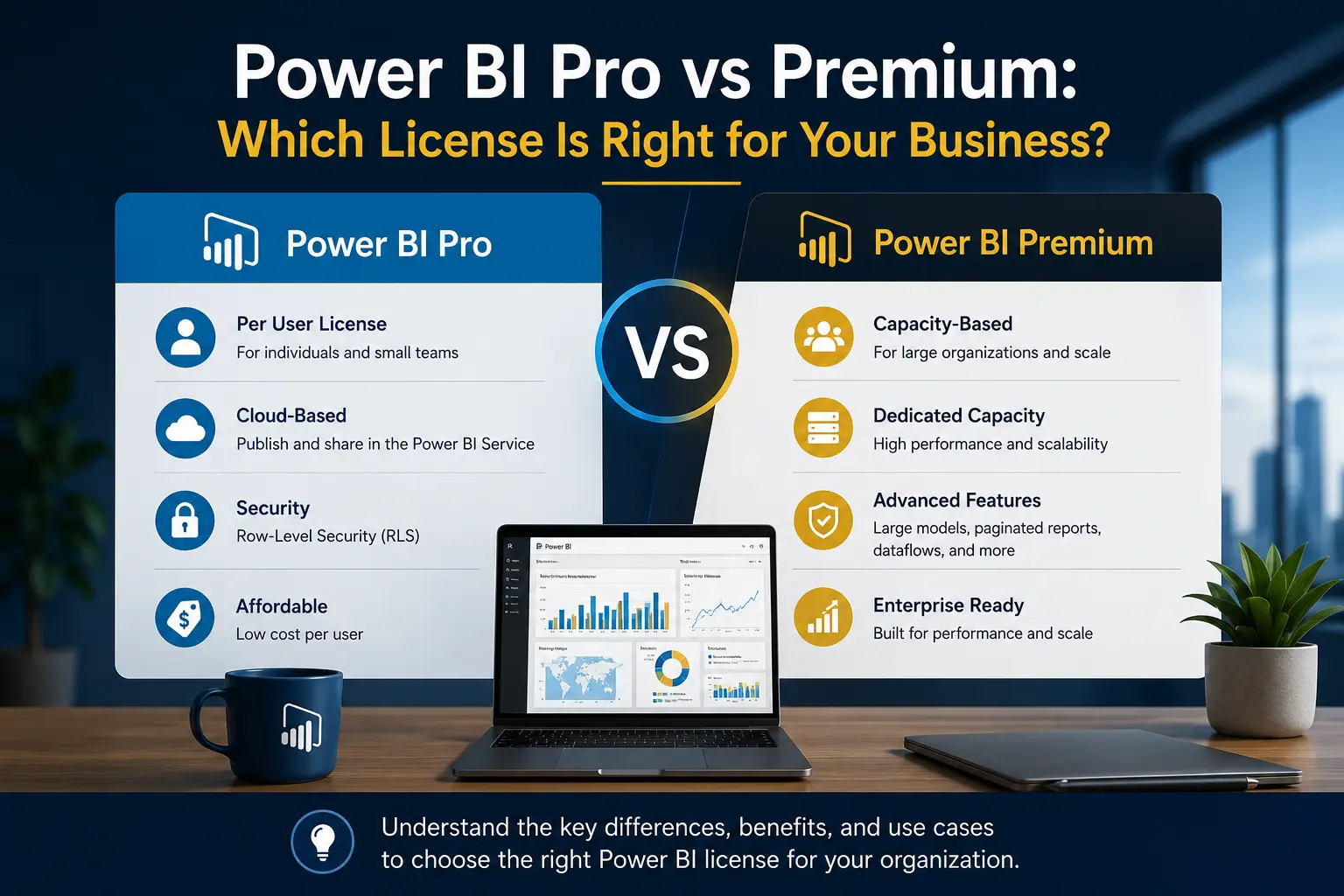
Security should be part of the broader Power BI implementation plan. It also connects to licensing decisions, which are covered in Power BI Pro vs Premium.
When to contact a Power BI consultant for security
Contact a Power BI consultant when reporting includes sensitive data, complex access rules, external users, multiple departments, or executive dashboards that need strong controls. Power BI consulting can help design the security model before reports are widely adopted.
Willduet helps businesses implement Power BI security, row-level security, workspace structure, app distribution, governance, and dashboard development. The goal is not to lock down reporting so tightly that nobody uses it. The goal is controlled access that supports business decisions.
Security questions leaders should ask before rollout
Leaders do not need to know every Power BI tenant setting, but they should understand the risk model. The first question is what data is sensitive. Financial results, margin, customer names, employee information, sales territory performance, and contract-level data usually require stronger controls than public operational summaries.
The second question is who needs access at each level. Executives may need company-wide visibility. Regional managers may need a filtered view. Analysts may need Build permission on a certified semantic model. Most users only need to view an app. Treating all users the same creates either overexposure or unnecessary friction.
The third question is how access changes over time. People move departments, territories change, contractors leave, and executives request new views. If access depends on individual manual updates, the security model will become stale. Group-based access and documented ownership make maintenance more realistic.
Security is part of adoption
Good security should not make reporting unusable. If users cannot get to the reports they need, they will export data, request spreadsheets, or build shadow reporting processes. The goal is not maximum restriction. The goal is appropriate access with clear paths for requesting more.
This is where Power BI governance strategy matters. Security decisions should connect to workspace structure, app distribution, semantic model ownership, and support. Otherwise, every new report becomes a new access problem.
Power BI security checklist for business teams
Before a report is released, review the security model the same way you would review the dashboard logic. Start with the audience. Who should see the report? Who should see all data? Who should see only a region, department, customer group, or cost center? Who should be able to export data? Who should be able to build new reports from the semantic model?
Next, review sensitive fields. A report may look harmless at the summary level but still expose customer names, employee names, transaction-level detail, margin, discounts, or contract terms through drillthrough pages or exports. If the detailed data is sensitive, the security model needs to cover those paths too.
Finally, review operations. Who approves access? How are access requests documented? How are users removed when they change roles? Who tests row-level security after a model change? Who monitors whether reports are being shared correctly? These are simple questions, but they prevent many security problems.
- Use groups rather than individual users wherever practical.
- Keep production workspace edit access limited.
- Use apps for controlled report distribution.
- Validate row-level security with actual user scenarios.
- Review export permissions for sensitive reports.
- Document who owns each security rule.
Security is also connected to adoption. Users should know where to request access and what approval is required. If the process is unclear, people will work around it with screenshots, spreadsheet exports, or duplicate reports.
The practical test is whether the business can explain who sees what and why. If that answer depends on one developer remembering how permissions were configured, the security model needs better documentation and governance.
Review this checklist whenever a report adds new audiences, new sensitive fields, new external users, or new export requirements. Security should evolve with the reporting environment, not remain frozen after the first deployment.
For client-facing, finance, or executive reporting, this review should happen before every major release. The cost of a short security review is usually lower than the cost of exposing the wrong data to the wrong audience.
That discipline keeps Power BI security visible as the reporting program grows.
Need a secure Power BI environment?
Willduet helps businesses design Power BI security, governance, implementation, and dashboard development practices that scale.
Conclusion: Power BI security best practices
Power BI security best practices require more than one setting. Use clear workspaces, controlled app distribution, row-level security, groups, export controls, documentation, and regular access reviews. When the data is sensitive or the access model is complex, a Power BI consultant can help protect the business while keeping reporting usable.
Frequently asked questions
What are the most important Power BI security best practices?
Start with clear workspace roles, app-based distribution, row-level security where needed, controlled export settings, Microsoft Entra groups, documented ownership, and regular access reviews.
Is row-level security enough to secure Power BI?
No. Row-level security is important, but it does not replace workspace permissions, app audiences, export controls, semantic model permissions, and governance.
Who should be a Power BI workspace Admin?
Workspace Admin access should be limited to people who manage the workspace. Most report users should consume content through apps or viewer-level access.
Should Power BI reports be shared directly with users?
Direct sharing can work in limited cases, but app-based distribution is usually cleaner for business reporting because it supports controlled audiences and easier access management.
How often should Power BI access be reviewed?
Access should be reviewed on a regular schedule and whenever teams, roles, departments, or sensitive reporting requirements change.
When should a business contact a Power BI consultant for security?
Contact a Power BI consultant when reports contain sensitive financial, sales, HR, customer, or operational data, or when access rules are complex enough to require design and testing.