Power BI Pro vs Premium: Which License Is Right for Your Business?
Choosing between Power BI Pro vs Premium is not just a purchasing decision. It affects how reports are shared, who can consume dashboards, which features are available, and how your BI environment scales.
Power BI Pro vs Premium: quick answer
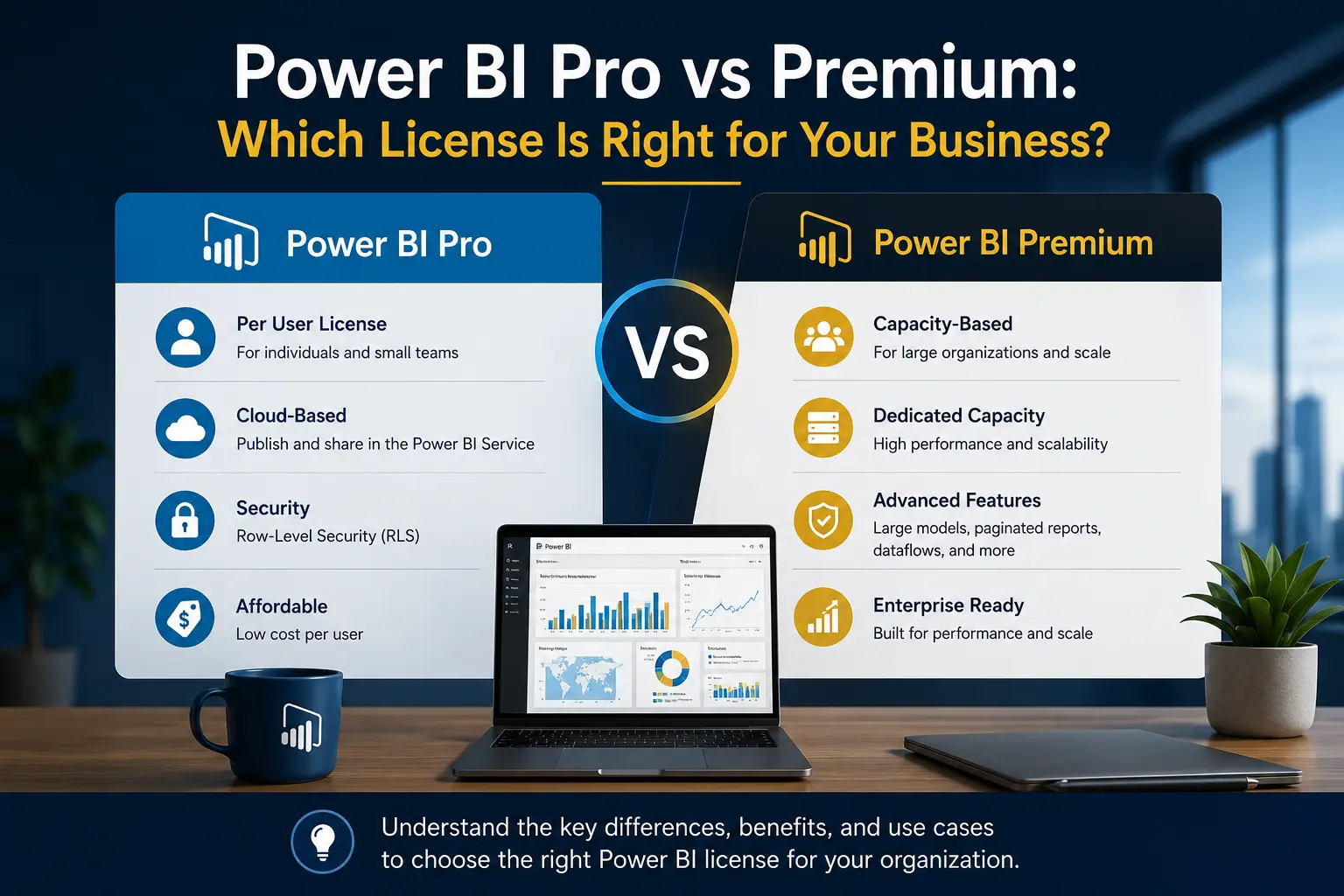
Power BI Pro is usually the practical starting point when a manageable group of users needs to publish, share, and consume reports. Premium Per User is useful when a smaller group needs premium capabilities without buying dedicated capacity. Fabric capacity is worth evaluating when the organization needs broad distribution, larger scale, centralized capacity, or additional Fabric workloads.
The right answer depends on user count, sharing model, governance needs, dataset size, refresh expectations, and whether your BI roadmap includes more than Power BI reports. Do not choose a license only because it looks cheaper on a spreadsheet. Choose the option that supports how people will actually work with reports.
What the main Power BI licensing options mean
Power BI Free
Free licenses are useful for personal exploration and limited scenarios. They are not usually enough for business users who need to publish to shared workspaces, collaborate, or consume content in standard shared capacity. Free users can consume shared content in certain capacity-backed scenarios, but that requires the right workspace and permissions.
Power BI Pro
Power BI Pro is a per-user license for people who create, publish, share, and consume Power BI content. For many small and mid-sized businesses, Pro is the normal baseline because it supports collaboration without requiring a dedicated capacity decision on day one.
A practical example: a finance team builds monthly revenue and margin dashboards, operations managers consume them, and department leads review the same reports each week. If the audience is small enough and everyone involved can have a Pro license, Pro may be sufficient.
Power BI Premium Per User
Premium Per User, often called PPU, is still a per-user model, but it includes many premium capabilities. It can work well when advanced capabilities are needed by a defined group, such as the BI team, finance analytics, or a central reporting function.
The tradeoff is access. Content in a PPU workspace generally requires users to have PPU as well, unless the content is placed in an eligible capacity scenario. This matters when executives, regional managers, or field users need to consume dashboards.
Fabric capacity
Fabric capacity is capacity-based rather than purely user-based. It can support Power BI and other Microsoft Fabric workloads. Capacity planning becomes relevant when the business wants to distribute content broadly, manage performance centrally, or build a larger analytics platform.
Power BI Pro vs Premium comparison table
How to choose based on real business scenarios
Scenario 1: Department reporting
A finance or operations department wants five to ten dashboards for a controlled group of managers. Users need to view, filter, export where allowed, and occasionally collaborate on report design. In this case, Power BI Pro is often enough.
Scenario 2: Executive reporting across the company
A leadership team wants dashboards distributed to a large audience, including users who only view reports. If licensing every viewer individually becomes difficult, capacity may be worth evaluating. The architecture should also include app distribution, audience targeting, and row-level security where needed.
Scenario 3: Advanced BI team requirements
A central analytics team may need premium capabilities for larger semantic models, deployment patterns, or advanced features. Premium Per User can be a practical middle ground when the premium workload is concentrated in a smaller team.
Scenario 4: Fabric roadmap
If the business plans to use data engineering, lakehouses, warehouses, notebooks, or other Fabric experiences, the licensing decision should not be made only around today’s dashboard count. The roadmap may justify capacity planning earlier.
Common Power BI licensing mistakes
- Counting only report creators: consumers matter because licensing affects who can open shared content.
- Ignoring workspace design: licensing, permissions, apps, and workspace roles work together.
- Choosing capacity too early: capacity can be valuable, but only when scale or features justify the administration.
- Choosing Pro too narrowly: Pro can look cheaper until many consumers need access or premium capabilities become necessary.
- Not revisiting the decision: licensing that works for ten users may not work for two hundred.
Licensing should be part of your Power BI implementation planning, not a late procurement detail. It affects how you publish reports, assign permissions, and design governance.
How licensing affects Power BI implementation
Licensing is often discussed late because it feels like procurement. In practice, it affects the design of the entire reporting environment. A team that expects everyone to use Pro licenses may design workspaces, apps, and sharing differently from a company that plans to distribute reports through capacity.
For example, a BI manager may want one production app for executives, another for operations, and a separate workspace for analysts who build new reports. That design needs to account for who can publish, who can consume, who can build on top of semantic models, and who can export data. The license decision does not replace security design, but it changes what is practical.
Creators, consumers, and self-service users
A useful planning exercise is to divide users into groups. Creators build semantic models and reports. Consumers view dashboards and interact with filters. Self-service users may build their own reports from governed semantic models. Executives may only need reliable access to a small number of dashboards. Each group has different licensing and governance needs.
If every user is treated the same, licensing either becomes too expensive or too restrictive. If the groups are defined clearly, the business can choose a model that supports real usage instead of buying based on rough headcount.
Governance and workspace planning
Power BI Pro can work well when workspaces are organized and ownership is clear. Premium or Fabric capacity can support larger environments, but it also requires monitoring and administration. Capacity does not fix messy governance. If teams publish duplicate reports, use inconsistent KPI definitions, or share content casually, a larger license model simply spreads the problem faster.
Before choosing Power BI Pro vs Premium, define a simple operating model: development workspace, production workspace, app distribution, report ownership, access requests, certified semantic models, and support responsibility.
Practical rollout plan for Power BI licensing
A licensing decision is easier when it follows a rollout plan. Start with the first group of users and the first set of reports. Identify who builds the reports, who reviews them, who consumes them, and who needs access to underlying semantic models. Then repeat that exercise for the next phase of rollout.
For a small leadership dashboard, the answer may be simple: a handful of Pro users can create and view the content. For a company-wide operating dashboard, the answer may change because dozens or hundreds of users need reliable access. If those users only view reports, capacity may become part of the discussion.
The roadmap should also include support. As more people use Power BI, they will request new access, new filters, new measures, and new dashboards. A license plan without a support plan leads to uncontrolled sharing and duplicated reporting.
In practice, many companies start with Pro for a focused implementation, then evaluate Premium Per User or Fabric capacity when report usage expands. That is a reasonable path as long as the original architecture does not block future growth.
Questions to answer before choosing
- How many users will create reports, and how many will only view them?
- Will reports be shared with executives, managers, field teams, or external users?
- Do users need premium features, or do they mainly need reliable report access?
- Will the organization use Power BI only, or is Microsoft Fabric part of the roadmap?
- Who will administer workspaces, permissions, apps, and support requests?
These answers usually make the Power BI Pro vs Premium decision clearer than a feature checklist. They connect licensing to how reporting will operate after launch.
Conclusion: choosing Power BI Pro vs Premium
The Power BI Pro vs Premium decision should start with business use, not feature lists. Count creators and consumers, define how reports will be shared, identify premium feature requirements, and decide whether capacity supports the broader analytics roadmap.
WillDuet helps organizations plan Power BI licensing alongside implementation, dashboard development, performance optimization, governance, and data engineering. If you are unsure which licensing path fits your rollout, a short consultation can prevent expensive rework later.
Need help planning your Power BI rollout?
WILLDUET helps businesses choose practical Power BI architectures, licensing models, dashboards, and reporting workflows.
Frequently asked questions
What is the main difference between Power BI Pro and Premium?
Power BI Pro is a per-user license for creating, publishing, sharing, and consuming content in standard workspaces. Premium can mean Premium Per User or capacity-based licensing, which adds advanced features or broader distribution depending on the option selected.
Is Power BI Pro enough for most businesses?
Power BI Pro is often enough for small and mid-sized teams where most users create, share, or consume reports and user counts are manageable. Larger deployments may need Premium Per User or Fabric capacity.
When should a company consider Premium Per User?
Premium Per User makes sense when a defined group needs premium features without purchasing dedicated capacity for the whole organization.
When does Fabric capacity make sense?
Fabric capacity makes sense for larger deployments, broad report consumption, Fabric workloads, or scenarios where capacity-based scale and centralized administration are more practical than licensing every consumer individually.
Can free users view Power BI reports?
Free users can view shared content only in eligible capacity scenarios and with the right permissions. In standard shared capacity, users generally need a paid license to consume shared content.
Should licensing be decided before implementation?
Yes. Licensing affects workspace design, sharing strategy, security, governance, and rollout planning, so it should be addressed early in the Power BI implementation process.